
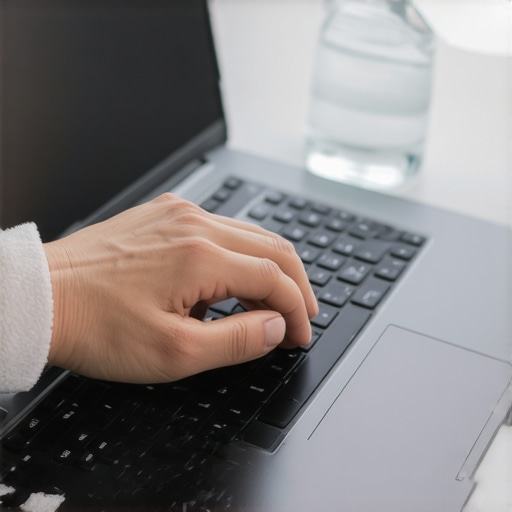
I stood there staring at the flickering pixels on my screen, realization dawning that my commitment to cleanliness had just cost me two months’ rent. I had used a standard household disinfectant wipe—the kind I usually trust for effective sanitizing methods for a germ-free home—on my delicate high-resolution display. Within minutes, the protective coating was a cloudy, smeared mess that no amount of buffing could fix. It was a gut-wrenching moment. I thought I was being a responsible adult, but I learned the hard way that when it comes to the tools we use for work, misplaced enthusiasm is a recipe for disaster. My desk was clean, sure, but my computer was practically paperweight. We spend forty-plus hours a week at these stations, and while we want them germ-free, we can’t afford to be reckless with the hardware that pays the bills. Today, I’m going to walk you through the exact process I use now to keep my space sterile without needing a tech support intervention.
Stop Drowning Your Gear in Disinfectant
I used to be a ‘sprayer.’ I’d grab a bottle of multi-surface cleaner and go to town on my desk, my mouse, and even my external hard drives. It felt thorough. It felt productive. It was also incredibly stupid. One of the most important things I’ve learned is why you should never spray cleaning products directly on surfaces, especially when those surfaces have cooling vents or sensitive sensors. Most of us make this mistake because we treat our electronics like they are kitchen counters, but they are much more fragile. I once killed a perfectly good mechanical keyboard because a single drop of liquid seeped under the ‘S’ key and short-circuited the board. Now, I always apply my cleaning agent to a cloth first. This simple shift in habit is the difference between a sanitized workspace and a trip to the electronics store. It’s also vital to distinguish between a daily house cleaning routine to maintain perfection and the specific, surgical approach required for high-tech gear.
Will My Laptop Actually Survive a Deep Clean?
It is a valid fear. We’ve all heard horror stories of people washing their keyboards in the dishwasher (please, never do that). But the reality is that ignoring the grime is just as dangerous. According to a famous study by the University of Arizona, the average office desk can harbor up to 400 times more bacteria than a toilet seat. That is a staggering amount of invisible filth right under your fingertips. The trick is to be intentional. You need to know how to sanitize your home office keyboard and mouse safely by using the right concentration of isopropyl alcohol and the right tools, like microfiber cloths that won’t shed. I used to reach for paper towels, but I quickly realized why your microfiber cloths are leaving lint everywhere is often down to quality, and switching to a high-grade cloth saved my screens from micro-scratches. Have you ever accidentally fried a gadget or ruined a screen coating while trying to keep it germ-free? It’s a frustrating mistake, but it’s one we can easily avoid by changing our perspective on ‘deep cleaning’ our digital life. We are going to bridge the gap between keeping things sterile and keeping things functional.
Power Down Before You Wipe Down
Everything starts with cutting the current. Imagine trying to perform surgery on a patient who is currently running a marathon; that’s what it’s like when you clean a live device. I learned this the hard way during a particularly humid Tuesday when I decided to freshen up my dual-monitor setup while halfway through a video edit. The heat from the panels caused my 70% isopropyl solution to flash-dry instantly, leaving behind permanent, ghostly streaks that looked like a crime scene under the office lights. Now, I always unplug everything. This isn’t just for safety; it allows the surfaces to cool, ensuring your cleaning agents work as intended. When you’re ready to proceed, remember the proper way to sanitize your phone screen without ruining the coating applies to your laptop and tablets too: use a minimal amount of moisture and a dedicated cloth. 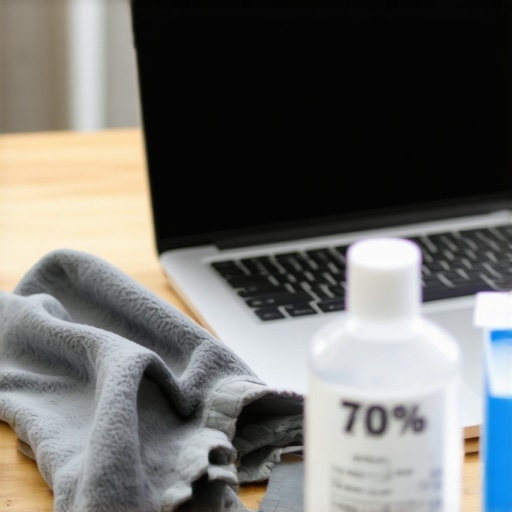
Treat Your Microfiber Like a Scientific Tool
Your choice of cloth is more important than the liquid you use. A high-quality microfiber cloth acts like a microscopic hook-and-loop system, grabbing oils and skin cells instead of just pushing them around. However, these tools are only effective if they are clean themselves. If you’ve noticed yours are dragging more than lifting, it’s worth investigating why your microfiber cloths stop working and how to fix them before you touch another expensive lens or screen. In my home office, I keep a color-coded system: blue for glass, yellow for high-touch plastic surfaces. This prevents me from accidentally transferring the grease from my mouse onto my crystal-clear monitor. This level of detail is exactly what you’ll find in effective house cleaning secrets from cleaning experts who handle high-end environments daily.
Hit the High-Touch Hotspots First
While we obsess over the screen because we stare at it, the real bacterial colonies are on the peripherals. Your keyboard, mouse, and those little-noticed buttons on the printer are the true culprits. I once used a UV blacklight in my office after a week-long flu stint, and the results were horrifying—the most glowing areas weren’t where I expected, but on the side edges of my desk and the light switches. It’s why you must learn the hidden grime on your light switches and how to sanitize them as part of your broader office hygiene strategy.
Adopt a Systematic Flow
To ensure no spot is missed, I use the professional method of working from the ceiling down to the floor. Even in a small office cubicle, why you should always start cleaning from the top of the room remains the golden rule. Dust falls. If you clean your desk and then move to the shelves above it, you’ve just wasted twenty minutes. I start with the tops of my monitors, move to the desk surface, then the chair arms, and finally the floor mats. This creates a clean sweep effect that ensures your space meets the highest standards, much like the sanitizing secrets for a safer house in 2025 that pros are now using to combat more resilient household germs.When we pivot from hardware to the soft surfaces of our workspace, like that ergonomic fabric chair, the mistakes get even more expensive. Most people assume that if a spill happens, the best move is to grab a soapy sponge and start scrubbing. This is the ‘Oops’ factor that keeps professional cleaners in business. Scrubbing actually drives the liquid deeper into the padding and can fray the fibers permanently. It’s the reason why you should never scrub a fresh liquid stain. Instead, professionals rely on blotting and a pre-vacuum step. In fact, why professional cleaners always vacuum the sofa before wiping it is because adding liquid to a dusty fabric just creates a muddy sludge that embeds itself into the weave. Let’s challenge a common myth: the ‘Clean’ smell. We’ve been conditioned to associate the scent of bleach or heavy floral perfumes with a job well done. But in my experience, a truly clean environment shouldn’t smell like anything at all. If you are smelling chemicals, you are smelling residue. This is particularly true for floors. If you’ve ever wondered the real reason your luxury vinyl plank floors look cloudy after you mop, it’s usually because you used too much product, which then acted as a magnet for new dirt. This ‘sticky floor’ syndrome is a hallmark of an amateur daily house cleaning routine to maintain perfection.
Does Your Move-Out Strategy Actually Protect Your Deposit?
Moving out of a home or office is where the nuances of cleaning become a financial liability. Most renters lose their deposit not because they didn’t sweep, but because they missed the hidden traps. According to a 2023 industry analysis by the Institute of Inspection Cleaning and Restoration Certification (IICRC), over-wetting fabric during cleaning is the primary cause of permanent browning and mold growth. Deep cleaning is a high-ROI activity, yet it’s often done incorrectly. For instance, the most common move-out cleaning mistakes that cost renters money usually involve ignoring the internals of appliances. An inspector doesn’t just look at the floor; they check the hidden mold trap inside your refrigerator drip pan and the grease buildup on the range hood. 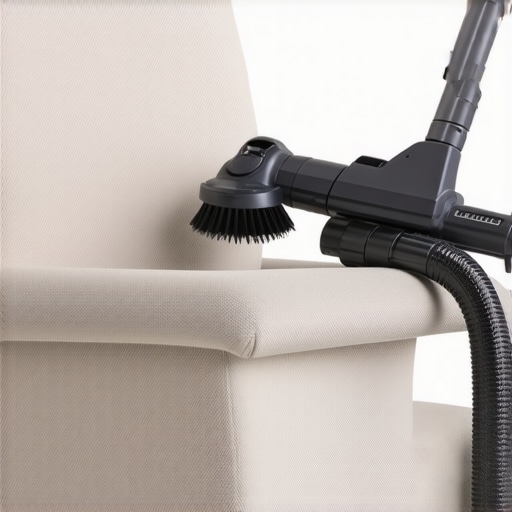 To truly level up your game, you need to think like a restorer, not just a wiper. This means understanding that upholstery cleaning tips for a fresh home revival are about chemistry and moisture control. If you saturate a cushion, you aren’t cleaning it; you’re creating an incubator for bacteria. Have you ever fallen into this trap where your ‘deep clean’ actually made things worse? Let me know in the comments. By applying sanitizing secrets for a safer house in 2025, we shift from making things look pretty to actually making them healthy.I’ve spent years trial-and-erroring my way through various gadgets, and if there is one thing I have learned, it is that the best tools are the ones you actually understand. Stop relying on the ‘all-purpose’ labels that promise to clean everything from your windows to your motherboard; they are usually too harsh for your electronics and not effective enough for your floors. Instead, I’ve moved toward a highly specific kit that centers around 70% isopropyl alcohol and a high-grade HEPA vacuum. Most people assume the 99% alcohol is ‘better,’ but in reality, the 70% version has just enough water content to slow down evaporation, allowing the solution to actually penetrate the cell walls of bacteria. This is one of those house cleaning strategies for a sparkling home today that translates perfectly to the tech world.
Pick Your Weapons Carefully
When I’m looking at my ergonomic chair, I don’t just start scrubbing. I follow the same logic found in the ultimate upholstery care guide for lasting freshness by testing for colorfastness in a hidden spot first. For those of you with high-end mesh chairs, the official Herman Miller technical manual for the Aeron specifically warns against using lubricants or harsh silicon-based cleaners on the Pellicle mesh, as it can compromise the polymer’s integrity. I stick to a gentle vacuuming once a week. If you’ve noticed a drop in performance from your gear, it might be that why your vacuum isnt picking up dirt like it used to is actually a clogged filter or a tangled brush roll, which just blows dust back onto your workstation. 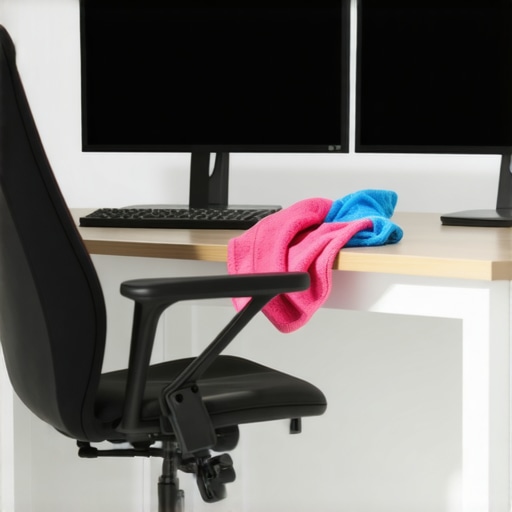
How do I maintain my office hardware for the long haul?
Maintenance isn’t a marathon; it’s a series of sprints. I’ve adopted a ‘clean-as-you-go’ philosophy that keeps the deep-cleaning sessions from becoming overwhelming. Every Friday afternoon, I spend exactly five minutes wiping down my peripherals. This prevents the buildup of skin oils that eventually turn into that nasty ‘keyboard shine.’ If you are preparing to transition out of your current space, these move-out cleaning hacks ensure your deposit refund by keeping the wear-and-tear to a minimum.
Where We Are Headed with Clean Tech
Looking forward, I predict we are going to see a massive surge in self-sanitizing surfaces. We are already seeing the integration of copper-infused fabrics in some high-end desk mats and chair covers, which naturally kill microbes on contact. This shift toward passive hygiene will be a game-changer for those of us who work forty-plus hours at a desk. Until then, the burden of maintenance is on us. To really level up your space, I challenge you to try the ‘cloth-first’ application method on all your screens for the next week. You’ll be surprised how much longer your hardware stays pristine when you stop flooding it with moisture. By applying sanitizing secrets for a safer house in 2025, you aren’t just cleaning—you are protecting the longevity of your digital life.
The Most Costly Mistake I Ever Made With a Microfiber Cloth
After years of maintaining high-end workstations, I’ve realized that the ‘deep clean’ often does more damage than the dirt itself if you aren’t careful. My lightbulb moment came when I stopped viewing my electronics as ‘dirty objects’ and started treating them as sensitive instruments. I learned that 70% isopropyl alcohol is actually superior to the 99% version because the water content prevents the alcohol from evaporating too fast, giving it time to actually kill germs. I also discovered that how to tell if your sofa fabric is colorfast before scrubbing is a principle that applies to your desk mats and chair upholstery too—always test a small corner first. Never trust a ‘disinfectant’ label blindly; if it’s meant for a bathroom, keep it away from your motherboard. This shift in mindset turned my cleaning routine from a risky chore into a precision maintenance task.
My Go-To Tools for a Sterile Station
Creating a workspace that stays pristine doesn’t require a closet full of chemicals. I personally rely on a few high-value items that have never let me down. First, a stack of premium, high-GSM microfiber cloths is non-negotiable. If you’re seeing streaks, check out why your microfiber cloths stop working and how to fix them to ensure you aren’t just spreading residue. Second, I highly recommend a HEPA-filtered handheld vacuum to capture dust before it settles into your keyboard switches. Finally, for those moving offices, I swear by the move-out clean checklist to simplify your transition to ensure you don’t leave any tech-grime behind for the next tenant. These tools combined with effective house cleaning secrets from cleaning experts will keep your hardware looking brand new.
Your New Routine Starts This Friday
Cleaning your workspace shouldn’t feel like a chore that you dread every few months. It is an act of preservation for the tools that help you create and earn. By implementing these sanitizing secrets for a safer house in 2025, you are building a barrier against both illness and hardware failure. Don’t be afraid to take it slow; start with your mouse and keyboard today, and feel the difference of a truly clean interface. A clean environment isn’t just about appearances; it’s about the longevity of your investment and your own well-being. Have you ever accidentally ruined a screen or a piece of tech while trying to clean it? Let me know your story in the comments below.