
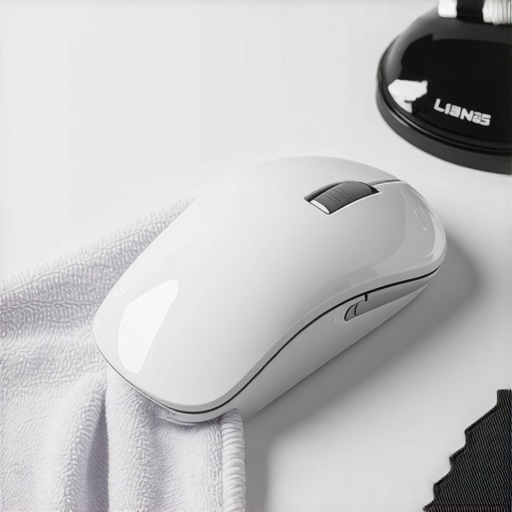
I was right in the middle of a high-stakes project last Tuesday when my screen started doing something weird. Every time I tried to scroll down, the page would stutter, jump back up, and then freeze. It felt like my cursor was walking through knee-deep mud. I flipped my mouse over and saw a thick, grayish ring of gunk wedged into the sensor and the scroll wheel gap. It was visceral and honestly a bit embarrassing. If you have ever felt that gritty resistance under your palm or watched your scroll wheel fail you at the worst possible moment, you are not alone. Today, I am going to share exactly how I fix this without ruining the hardware, because your tech deserves better than a layer of dead skin cells. Have you noticed your mouse tracking getting slower lately?
Stop Ignoring the Grime on Your Desktop
We spend hours every day with our hands glued to these devices, yet we rarely include them in our house cleaning strategies. It is a massive blind spot. In fact, a study by the University of Arizona found that the average computer mouse can harbor up to 400 times more bacteria than a toilet seat. That is a staggering thought when you realize you probably eat snacks at that same desk. Much like the hidden grime on your light switches, we touch these surfaces constantly without a second thought. I learned the hard way that ignoring this leads to hardware failure. Years ago, I tried to ‘clean’ my optical sensor by digging into it with a metal paperclip. I scratched the lens so badly the mouse became a paperweight by noon. Trust me, there is a better way to handle germ hotspots on your desk.
Is cleaning sensitive electronics actually worth the risk?
I get it. You are worried that a drop of moisture or a stray brush bristle will short out your expensive gaming mouse. But the truth is that leaving the buildup is what actually kills the device. Over time, that oil and dust mixture creates a sticky film that wears down the mechanical switches inside. It is similar to how you have to be careful when you sanitize your tv remote; the key is technique, not just brute force. When you do it right, you do not just get a cleaner mouse; you get that ‘brand new’ tactile click back. We are going to walk through the safe, neighborly way to deep clean that scroll wheel and optical sensor so you can get back to work without the stutter.
Cut the Power and Gather Your Precision Tools
Before you even think about cleaning, unplug that mouse or pop the batteries out. I learned the hard way that liquid and live circuits don’t mix when I once rushed through a cleaning session with a damp paper towel. I ended up with a ghost-clicking nightmare that took forty-eight hours to dry out. It’s a similar logic to how you should safely disinfect your remote control without damaging the electronics. You need a specific kit: 70% or higher isopropyl alcohol, a handful of pointed wooden toothpicks, a microfiber cloth, and a canister of compressed air. Avoid using cotton balls, as they leave behind tiny fibers that can actually clog the optical sensor worse than the dust you are trying to remove. Treat this like a daily house cleaning routine to maintain perfection on your desk; consistency prevents the deep-set grime that leads to hardware lag.
Rescue Your Scroll Wheel from the Gunk
The scroll wheel is the biggest magnet for dead skin cells and oils. To get it moving freely again, use your canister of compressed air in short, controlled bursts. Hold the wheel still with one finger and spray into the gaps on either side. If the wheel is still sticking, take a wooden toothpick and gently run it along the crevice where the wheel meets the mouse body. This is where the ‘gray ring’ lives. It is a slow, methodical process, much like following a upholstery cleaning tips for a fresh home revival—you have to lift the debris out rather than pushing it deeper. 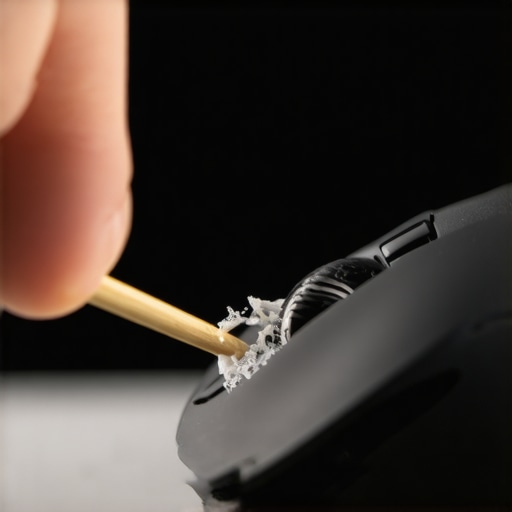
Don’t Drown the Optical Sensor
The sensor is the heart of your mouse. If you see a hair or a speck of dust inside that tiny glowing or dark hole, do not stick anything sharp inside. Instead, use a dry Q-tip and gently twirl it inside the cavity. If there is a visible smudge on the lens, lightly dampen the Q-tip with isopropyl alcohol—it should be barely moist, not dripping. This ensures you are using effective sanitizing methods for a germ free home office without risking a short circuit. I once saw a friend try to use a glass cleaner on his sensor, and the chemicals stripped the protective coating off the lens, making the mouse skip across the screen forever. Stick to high-purity alcohol; it evaporates almost instantly and leaves zero residue.
Restore the Glide on Your Mousepad
A clean mouse is useless on a filthy pad. If you have a cloth mousepad, it is likely absorbing the same oils as your mouse. You can often clean these with a drop of dish soap and a soft brush, much like the dish soap trick for removing greasy buildup on other surfaces. If you are preparing for a move and want everything pristine, checking these small peripherals is a key part of sanitizing hacks for safe house transitions. Once the pad is dry and the mouse feet are wiped down with alcohol, you will notice that ‘weightless’ feeling return to your cursor movements. Keeping the bottom ‘skates’ or feet of the mouse clean is just as vital as the sensor itself; if they are caked in dust, the friction will tire out your wrist and slow your reaction time.
Why your 90% alcohol is actually less effective
Most people reach for the highest percentage of isopropyl alcohol they can find, assuming it is the ultimate ‘kill-all’ for germs. In my experience, this is the first mistake that leads to a false sense of security. While 99% alcohol is great for removing industrial adhesives, it evaporates far too quickly to effectively kill bacteria. According to experts at the Microbiology Society, a 70% solution is actually more effective for disinfection because the higher water content slows evaporation and allows the alcohol to penetrate the cell walls of pathogens. It is one of those effective house cleaning secrets from cleaning experts that applies just as much to your home office as it does to a kitchen counter. If you use the high-octane stuff, you might be removing the oil but leaving the germs behind. 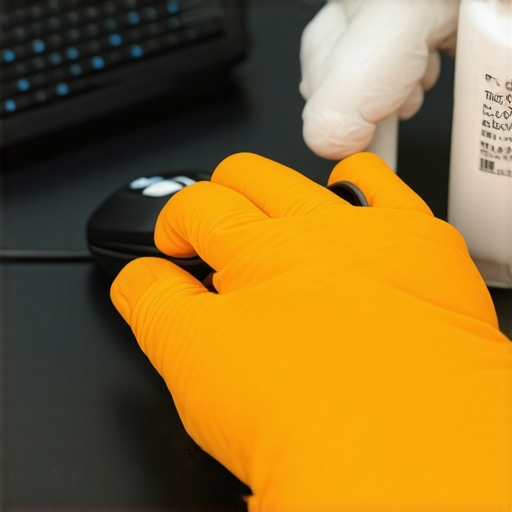
The abrasive truth about paper towels and sensors
You might think a quick wipe with a paper towel is harmless, but you are effectively rubbing wood pulp across a precision lens. This is the ‘Oops’ factor that costs people hundreds in hardware. Under a microscope, paper towels are jagged and can leave micro-scratches that cause the optical sensor to lose track of the surface over time. It is the same reason why your vacuum is actually spreading more dust around if you do not use the right filters; you are just moving the problem or making it worse. Always stick to a high-quality microfiber cloth. This attention to detail is vital for sanitizing secrets for a safer house in 2025. If you are prepping for a move, remember that these small tech details matter—much like how move-out cleaning strategies to secure your deposit require looking at the things most people ignore.
Is it safe to spray contact cleaner directly into the buttons?
This is a common question from gamers who feel their clicks getting ‘mushy.’ The short answer is: absolutely not. While electronic contact cleaners are designed for circuits, the plastic housing of many mice can react poorly to the solvents, leading to cracking or discoloration. Instead, apply the cleaner to a thin strip of cardstock or paper and slide it into the gap of the button. This allows you to wick away the debris without flooding the internal board and causing a short. It is a level of precision you won’t find in a standard daily house cleaning routine to maintain perfection, but it is what separates the pros from the amateurs. Have you ever fallen into the trap of over-cleaning and accidentally breaking your gear? Let me know in the comments below.I have refined my toolkit over the years, moving away from those generic cleaning kits you find at the checkout counter. If you want to treat your hardware like a pro, you need to invest in a Giottos Rocket Air Blower. Unlike compressed air cans that can occasionally spit bitterant or liquid propellant if tilted, a manual blower uses filtered air. It is a staple in the photography world for a reason. I use it to blast dust out of my keyboard and mouse sensor every single morning before I start work. This small habit mirrors the effective house cleaning secrets from cleaning experts who suggest that preventative maintenance is ninety percent of the battle. If you catch the dust before it binds with the oils from your skin, you rarely need to reach for the alcohol.
How can I keep my desk setup clean for the long haul?
Consistency is your best friend here. I keep a high-gsm microfiber cloth specifically for my peripherals, tucked into a drawer so it does not collect its own dust. Every Friday, I do a quick wipe-down. It is part of my daily house cleaning routine to maintain perfection in my workspace. For those with mechanical keyboards or mice with many side buttons, I recommend using a soft-bristled detailing brush—the kind used for car vents. It reaches the upholstery of your tech, so to speak, much like how you would use upholstery cleaning tips for a fresh home revival to get into the crevices of a sofa. 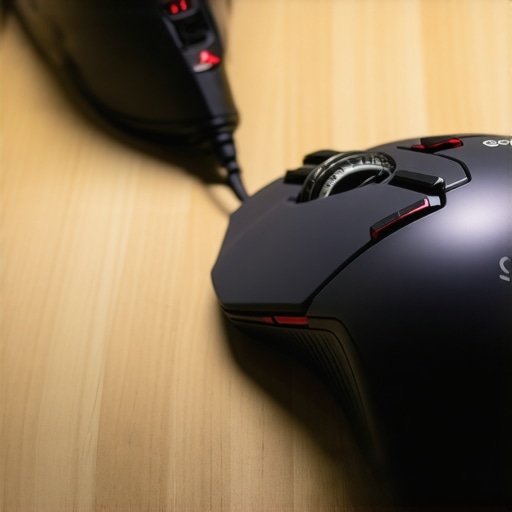
Future Proof Your Hardware with Better Habits
Looking forward, I expect we will see a massive shift toward oleophobic coatings on mid-range hardware, not just high-end smartphones. Until then, we are the first line of defense. According to Logitech’s official maintenance documentation, even the most durable mechanical switches can fail if dust particles interfere with the copper contact points. This is why I insist on using 70% isopropyl alcohol for the exterior and dry, filtered air for the interior. If you are preparing for a relocation, do not just throw your electronics in a box. Including your peripherals in your move-out clean checklist to simplify your transition ensures that you are not carrying old allergens and skin cells into your new environment.
Clean Gear Equals a Faster Move
I have found that applying move-out cleaning hacks ensure your deposit refund often means looking at the micro-level. If a landlord or inspector sees a filthy, grease-stained desk area, they often assume the rest of the house has been neglected too. Clean tech signals a clean lifestyle. For those aiming for sanitizing secrets for a safer house in 2025, consider a small UV-C sanitizing box for your mouse and phone at the end of the day. It provides a level of effective sanitizing methods for a germ free home that liquid cleaners simply cannot reach. If you manage multiple workstations, scaling these habits is vital; a centralized tech hygiene station prevents the keyboard crust that ruins office equipment. Try this today: take a wooden toothpick and clear the seam where the two halves of your mouse shell meet. You will likely find a string of compacted debris. Removing this prevents it from eventually migrating into the internal switches.
What I Learned After Ruining Three High-End Gaming Mice
I have made every mistake in the book so you do not have to. First, I realized that less is always more when it comes to moisture; I used to think ‘drenching’ the sensor was the way to go, but now I know that even a tiny drop of seepage can kill the logic board. Second, those tiny ‘feet’ or skates on the bottom are as important as the sensor itself; once they get scratched by grit or paper towels, your precision is gone forever. Third, I stopped using standard cotton swabs for the internal bits because the lint they leave behind is actually more obstructive than the skin oils you are trying to remove. Finally, I discovered that a ten-second air blast every morning is the best way to avoid a two-hour deep clean every month, a technique often mentioned in effective house cleaning secrets from cleaning experts.
My Essential Toolkit for Tech Hygiene
I do not leave my hardware performance to chance anymore. I swear by the Giottos Rocket Air Blower because it does not use chemical propellants and provides a clean, focused blast. For the exterior surfaces, I only use high-GSM microfiber cloths that will not leave micro-abrasions on the plastic. I also keep a stash of medical-grade 70% isopropyl alcohol—not the 99% stuff—to ensure I am using sanitizing secrets for a safer house in 2025 that actually neutralize pathogens. Lastly, pointed wooden toothpicks are my secret weapon for those tight seams where the mouse shells meet. #IMAGE_PLACEHOLDER_CONCLUSION#
Get Your Competitive Edge Back Today
There is a real psychological shift that happens when your tools are pristine. You move faster, click more confidently, and stop fighting against the hardware. By integrating these small steps into your daily house cleaning routine to maintain perfection, you ensure your equipment lasts for years rather than months. It is about respect for your gear and your focus. Whether you are gaming or working, a clean mouse is a fast mouse. Have you ever found something truly bizarre or embarrassing stuck inside your scroll wheel during a clean? Let me know in the comments below.