
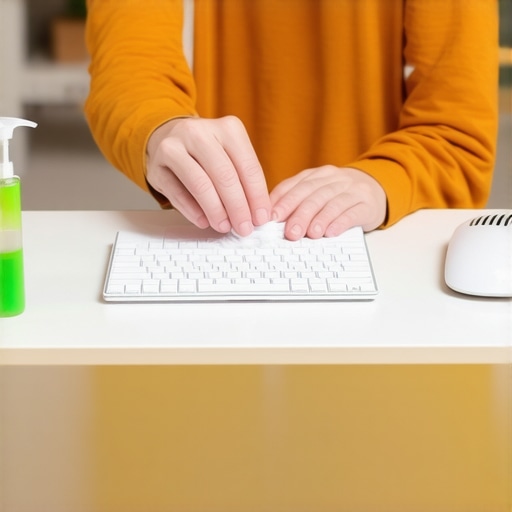
I remember the frustrating moment when I spilled a cup of coffee on my keyboard and thought, “Is this thing a total loss?” It was a panic attack right at my desk. But what really hit me was realizing how little I knew about sanitizing my most-used tech gadgets safely. It’s not just about clean fingers—germs linger on those surfaces, and if you’re like me, you probably touch your keyboard and mouse dozens of times a day. The good news? There’s a safe, effective way to keep these items germ-free without turning them into gooey messes.
Why Proper Sanitizing Matters More Than Ever
In today’s world, hygiene has become a top priority, especially for items we touch constantly. Studies show that computer keyboards and mice can harbor more bacteria than toilet seats! That’s right—your workspace might be dirtier than your bathroom. If unnoticed, germs can contribute to illnesses or skin irritations. And let’s be honest, nobody has time to deal with a sick day when there’s work to do or Netflix shows waiting.
But here’s the kicker: many of us make mistakes trying to sanitize these devices. The early mistake I made was spraying disinfectant directly onto my keyboard—thinking I was killing the germs, but actually risking damage to the electronics. That’s a classic error I want you to avoid.
So, what will we cover today? I’ll walk you through the safest, most effective methods to sanitize your keyboard and mouse at home, preserving their longevity while keeping germs at bay. Whether you’re preparing for a move, cleaning your home, or just want peace of mind, I’ve got your back.
Is Disinfectant Spray Truly Safe for Electronics?
I used to believe that simply spraying disinfectant everywhere was the way to go—until I learned about micro-mist damage and how harsh chemicals can deteriorate sensitive components. The key is to avoid excess liquid and choose the right products. For example, using alcohol-based wipes or diluted isopropyl alcohol solutions can be both safe and effective. Many professionals recommend microfiber cloths dampened slightly with such solutions, which you can find detailed in trusted cleaning guides.
If you’ve ever worried about damaging your devices or spreading germs with inadequate cleaning, you’re not alone. Trust me, I’ve been there. Over time, I’ve discovered that the right approach is gentle but thorough—so you can keep your gadgets sanitized without risking costly repairs.
In the upcoming sections, we’ll explore step-by-step how to achieve this. Ready to make your workspace safer? Let’s dive into the best practices now.
Use Microfiber Cloths for Gentle Wiping
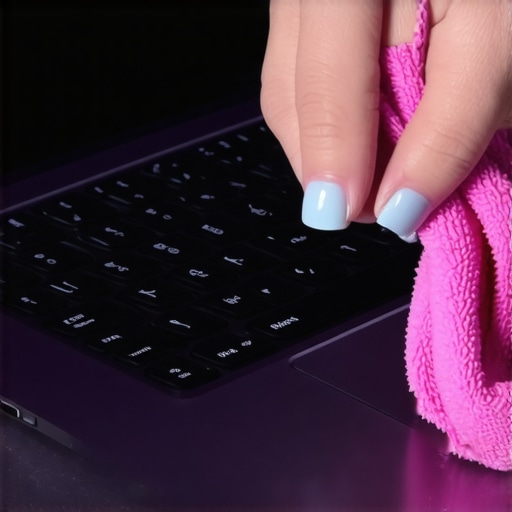
Begin with a high-quality microfiber cloth slightly dampened with isopropyl alcohol (70%). I once spilled coffee on my keyboard and used this method; it lifted the residue without any damage. Microfiber’s fine fibers trap germs and dirt better than paper towels, which can leave scratches or lint behind.
Apply Disinfectant Properly to Avoid Damage
Never spray disinfectant directly onto your devices. Instead, spray a small amount onto your cloth. I learned this the hard way when a spray caused moisture to seep into my mouse, rendering it inoperable for a day. By misting the cloth, you control the amount of liquid, ensuring electronics stay dry and safe.
Consider Alternative Cleaning Solutions
Isopropyl alcohol is effective and safe when used correctly. Avoid harsh chemicals like bleach or ammonia, which can corrode surfaces. For touchscreens, using a disinfectant wipe with at least 60% alcohol can work well. Always check your device manufacturer’s cleaning recommendations to prevent voiding warranties.
Sanitize in Hard-to-Reach Areas
Use a soft brush or cotton swab dipped lightly in alcohol to reach crevices around keys or between buttons. I used a cotton swab to clean my laptop keyboard’s gaps, removing trapped dust and germs. Ensure the swab isn’t dripping; excessive liquid can damage internal components.
Dry and Inspect
After cleaning, give your devices a few moments to air dry or gently wipe with a dry microfiber cloth. Confirm no moisture remains before powering on. Once, I skipped this step and briefly powered my laptop, which caused a short circuit — a costly mistake I now avoid by meticulous drying.
Maintain Regular Cleaning Routines
Set a weekly schedule to wipe down your devices using these methods. Consistency is key; I found that cleaning my keyboard every Sunday morning prevents the buildup of germs, especially during flu season. For more tips on cleaning your entire home efficiently, check out Effective House Cleaning Secrets.
Special Tips for Touchless Sanitization
If you prefer a completely dry approach, microfiber cloths and UV sanitizers can supplement your routine. UV light devices kill bacteria without liquids, preserving delicate electronics. I’ve used a portable UV sanitizer on my phone and found it quick and effective, avoiding any residue or moisture risks. For further insights, see Sanitizing Hacks for Safe House Transitions.
 While many believe that a quick wipe-down suffices for thorough cleaning, the truth is that most people miss critical nuances that can impact both the effectiveness and safety of their efforts. For instance, it’s a common misconception that using more cleaning product speeds up the process; in reality, over-application can leave residues that attract more dirt and even damage surfaces over time. Moreover, many ignore the importance of allowing disinfectants to sit for the recommended contact time, which research from the CDC underscores as vital for eliminating pathogens effectively (CDC, 2020). Failing to adhere to these guidelines means germs survive and multiply, defeating the purpose of sanitizing.
One trap I often see is the misguided focus on visible cleanliness rather than microbial eradication. It’s tempting to think that spotless surfaces are germ-free, but studies show that bacteria and viruses can cling to seemingly clean areas, especially in upholstered furniture or hard-to-reach crevices. This is why integrating deep cleaning strategies—like using steam on upholstery or applying specialized disinfectants on overlooked spots—makes a significant difference. For advanced results, it’s worth examining how your cleaning routines may inadvertently spread germs through improper sponge or cloth use; as I discovered, contaminated cleaning tools can become vectors rather than barriers against bacteria.
A particularly overlooked detail involves the frequency and timing of cleaning. Regularly wiping surfaces is good, but disinfecting at the right intervals—especially during flu season or after move-out cleaning—is essential. Check out [move-out cleaning strategies](https://spotlesscarpetz.com/move-out-cleaning-strategies-to-secure-your-deposit) for tips on aligning your cleaning schedule with industry standards that ensure maximum hygiene and deposit safety. Additionally, many overlook the benefits of professional upholstery cleaning, which can remove deeply embedded microbes and allergens that home methods might miss. You can explore [upholstery cleaning tips for a fresher home](https://spotlesscarpetz.com/upholstery-cleaning-tips-for-a-fresh-home-revival) for strategies that complement your routine.
Another nuanced aspect is the subtle use of sanitizers and cleaning agents. For example, many assume that all disinfectants are safe on every surface, but certain products can cause discoloration or deterioration—particularly on delicate materials like natural stone or painted walls. Knowing which cleaning agents are compatible with your surfaces—like opting for pH-balanced cleaners—can extend the life of your furniture and fixtures.
Understanding these nuances not only elevates your cleaning game but also ensures a healthier indoor environment. For a comprehensive guide on safe and effective house cleaning practices, don’t forget to check out [effective house cleaning secrets from cleaning experts](https://spotlesscarpetz.com/effective-house-cleaning-secrets-from-cleaning-experts). Have you ever fallen into this trap? Let me know in the comments!Maintaining a clean and sanitized home requires not only the right techniques but also the proper tools that ensure safety and efficiency. Over the years, I’ve refined my toolkit to include equipment that stands up to rigorous cleaning routines, especially when dealing with upholstery and move-out cleans. Investing in quality tools pays off in the long run, extending the lifespan of your surfaces and ensuring thorough sanitization.
One of my top recommendations is a high-grade microfiber mop. Unlike traditional cotton mops, microfiber traps dirt and bacteria more effectively and dries faster, reducing mold risk. For upholstery, I swear by a portable steam cleaner with adjustable temperature settings. According to cleaning experts, steam sanitizes deeply without the need for chemicals, and models like the Dupray Neat are my go-to for delicate fabrics.
When it comes to tools for move-out cleaning, a microfiber cloth paired with a spray bottle of diluted isopropyl alcohol provides both safety and versatility, allowing for spot cleaning on hard-to-reach spots without risking surfaces. For those tricky oven racks or bathroom tiles, I rely on a dedicated scrub brush with stiff bristles designed to tackle stubborn grime without scratching.
Additionally, employing a UV sanitizer for phones and remote controls has become an essential part of my routine, especially during flu season. These devices use ultraviolet light to eliminate germs effectively, as detailed in a study published by the Journal of Hospital Infection.
Looking ahead, the trend is moving toward smart cleaning tools. Imagine robotic vacuum cleaners that can also disinfect floors with UV lights, or app-controlled steam cleaners that schedule sanitation cycles. As technology advances, integrating these tools into your routine could save time and boost results.
How do I maintain my cleaning tools over time? Regularly washing microfiber cloths and replacing worn brushes prevents bacteria buildup. For electronic devices like UV sanitizers, following manufacturer instructions ensures longevity and safety. Keeping your tools in a dedicated, dry storage area also prolongs their lifespan. For additional insights on effective house cleaning routines, I recommend visiting Effective House Cleaning Secrets.
I encourage you to try the method of pairing a microfiber cloth with disinfectant spray for your next cleaning session. It’s simple, safe, and highly effective—giving you peace of mind that your home is truly clean.
The Hardest Lesson I Learned About Sanitizing Electronic Devices
My biggest eye-opener came when I thought I had ruined my beloved gadgets with careless cleaning. It taught me that patience and proper techniques are essential. Using too much liquid or harsh chemicals can damage delicate components, but rushing to sanitize without understanding the process only increases the risk. Now, I advocate for a gentle, informed approach to keep my tech and home safe.
How Simple Changes Elevate Your Sanitizing Routine
Switching from direct spray to damp microfiber cloths transformed my cleaning results. It’s incredible how a little awareness about contact time and product choice can make a difference. These small adjustments prevent costly repairs and ensure germs are truly eliminated, reinforcing that effective sanitation doesn’t mean risking damage—sometimes, less really is more.
My Secret Weapon for Deep, Safe Cleanliness
Microfiber cloths paired with diluted isopropyl alcohol became my go-to. They are my trusted allies in sanitizing keyboards, mice, and screens without leaving streaks or moisture damage. I’ve learned that investing in quality tools and understanding how to use them properly is a game-changer—it’s about working smarter, not harder, for a healthier home environment.