
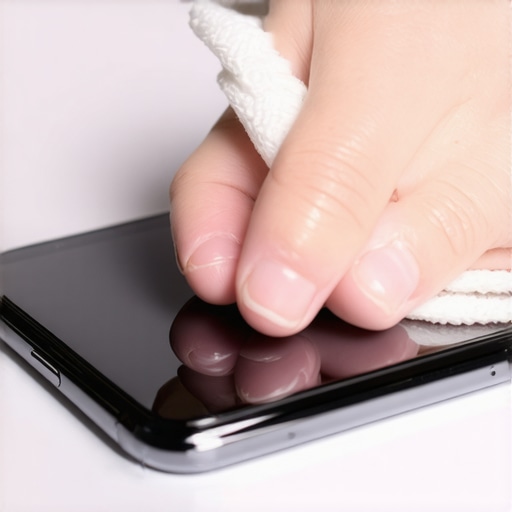
I remember the moment clearly. I reached for my phone after a long day, only to see smudges and fingerprints-covered glass that seemed to cling to every light source in my room. As I nervously grabbed a cloth, the intrusive thought hit me—”Am I actually doing more harm than good by cleaning this?” That moment of uncertainty — wondering if I might strip away the coating that keeps my screen safe — was a lightbulb over my head. So many of us are left guessing when it comes to cleaning our most-used devices. Today, I want to share what I’ve learned about safely cleaning your phone screen without compromising its protective layer.
Why Proper Cleaning Can Save Your Screen (And Your Wallet)
Sanitizing your phone isn’t just about keeping germs at bay — it’s also about prolonging the life of your device. Our screens are coated with a special protective layer designed to resist scratches and reduce fingerprints, but common cleaning methods can threaten that coating. Early on, I made the mistake of grabbing household cleaners or using abrasive cloths, only to notice tiny scratches forming or the coating beginning to fade. That’s when I dug deeper, discovering that many cleaning products contain harsh chemicals that can damage the protective layer. Studies have shown that improper cleaning can reduce the effectiveness of the coating and even lead to more fingerprints and smudges over time. So, taking the right precautions isn’t just recommended; it’s essential.
Are you tired of trying various cleaning hacks only to see your screen get worse? Don’t worry — I’m here to guide you through simple, effective, and safe methods to keep your phone spotless.
Skeptical About the Risks? Here’s Why You Should Trust Tested Methods
It’s understandable to doubt the safety of cleaning your phone without risking damage. I used to think that any cleaner would do, but I quickly realized that many products on the market are too aggressive. My mistake was relying on alcohol-based wipes that left streaks and residual cloudiness. Later, I learned that the key is using gentle, alcohol-free solutions and soft, lint-free cloths. This simple switch made a noticeable difference in how well my screen stayed clear and protected. Remember, your device is an investment, and a little extra care can extend its lifespan considerably.
Now, with these principles in mind, let’s move on to practical steps that will help you confidently sanitize your phone screen without damaging that precious coating.
Choose the Right Cleaning Materials
Select a soft, lint-free microfiber cloth similar to those used in delicate upholstery cleaning, which you can learn about at this guide. Dampen the cloth slightly with a mixture of distilled water and a few drops of isopropyl alcohol (preferably 70% or less) to ensure gentle cleaning. Avoid using household cleaners or abrasive materials, which can strip the screen’s protective coating, much like harsh chemicals damage furniture coatings. Remember, the goal is to lift dirt without risking harm.
Power Down and Prepare
Always turn off your phone and unplug it from any power source. This prevents accidental touches and reduces the risk of electrical issues. Think of it like disconnecting a vacuum before cleaning the filters to avoid damage. Removing any cases or screen protectors exposes the entire surface for thorough cleaning. If you need to clean around ports or buttons, use a dry, soft brush or compressed air to clear debris delicately.
Apply Cleaning Solution Thoughtfully
Lightly spray your damp microfiber cloth with the prepared solution. Never spray directly onto the screen, as excess moisture can seep into openings and damage internal components, much like spilling water in electronics. Apply the cloth evenly, avoiding excessive saturation—this is similar to controlling the amount of cleaning solution used on upholstery to prevent water marks. With a gentle back-and-forth motion, wipe the screen, focusing on fingerprints and smudges.
Address Stubborn Spots Carefully
If any marks persist, re-dampen a corner of the cloth and gently rub that area. Use minimal pressure to prevent removing or damaging the coating, akin to carefully cleaning a delicate fabric stain. For deep-set debris or grime around edges, a dried cotton swab can reach tight spaces, just like precision cleaning in upholstery corners. Be cautious not to press too hard, which can cause micro-scratches or wear down the coating over time.
Dry and Finish
Allow the screen to air dry for a few seconds or gently buff with a dry microfiber cloth to remove any residue. Think of it as polishing a surface after upholstery cleaning to restore shine. Once dry, reassemble any removed parts and power on your device to check clarity. You’ll notice a streak-free, smudge-free screen that stays protected—similar to restoring the luster of clean furniture after a proper upholstery refresh, which you can explore here.
Many believe that a quick sweep and surface wipe suffice for move-out cleaning, but the reality is far more nuanced. A prevalent myth is that using bleach or harsh chemicals guarantees hygiene, yet these can damage surfaces and leave dangerous residues, as outlined by cleaning experts. An often-overlooked aspect is the hidden grime lurking behind appliances or deep in upholstery fibers, which simple surface cleaning fails to address, risking future mold or allergen buildup. Advanced mistakes include neglecting the importance of proper drying—damp areas promote mold growth and can cause damage, a fact supported by studies on microbial proliferation in moist environments. For premium results, consider adopting targeted strategies like deep cleaning upholstery using methods detailed in this guide, or employing effective sanitizing techniques that go beyond basic disinfecting, as described in this resource. Understanding these hidden intricacies ensures not just a spotless space but a healthier living environment. Have you ever fallen into this trap? Let me know in the comments.Maintaining your home and upholstery over the long haul requires more than just occasional cleaning; it involves investing in the right equipment and adopting effective methods that ensure durability and hygiene. One of my go-to tools is a high-quality steam cleaner, such as the OxiClean 1500 Series, which I use weekly on upholstery and carpets. The steam penetrates deep fibers, removing embedded dirt and allergens without harsh chemicals, aligning with eco-friendly practices detailed in this comprehensive guide. I’ve found that regular steam cleaning not only revitalizes fabric but also extends the lifespan of furniture, saving money over time. For move-out situations, investing in a durable microfiber mop and a HEPA-filter vacuum ensures thorough dirt removal and improved air quality, which are crucial for sanitized environments. Digital tools like the HandyHome app help me schedule routine cleanings and track maintenance tasks, making upkeep less overwhelming. Looking ahead, I predict that smart cleaning devices equipped with AI will become standard, allowing for automated, scheduled cleaning cycles tailored to specific surfaces and needs. This trend will greatly reduce manual effort and optimize results, especially for larger properties or busy households. To keep your home and furnishings functioning optimally, I recommend trying a deep-cleaning session with a steam cleaner once a month and integrating smart scheduling tools into your routine. How do I maintain upholstered furniture over time? Regularly vacuum with a HEPA filter vacuum, follow up with targeted steam cleaning for deep fibers, and address stains promptly to prevent permanent damage. Incorporating these practices, supported by tools like the ones I’ve mentioned, will ensure your belongings stay fresh and functional for years to come. For more detailed strategies, visit this upholstery care resource or expert-approved cleaning secrets. Remember, consistent maintenance is the key to long-term cleanliness and preservation.Cleaning your phone screen might seem like a simple task, but as I’ve discovered, it involves subtle nuances that can make or break your device’s longevity. The most valuable lesson I learned is that every cleaning decision impacts the protective coating—more than I initially thought. Using the wrong solutions or applying too much pressure can significantly reduce your screen’s durability, leading to more smudges and potential damage down the line. I realized that gentleness, paired with the right materials, is your best ally—small tweaks can extend your device’s lifespan and save money in repairs. Also, understanding that not all cleaning products are created equal helped me avoid common pitfalls—many commercial wipes can be harsher than they seem, stripping away that delicate coating. Embracing microfibre cloths and alcohol-strength solutions less than 70% became game-changers, making my cleaning routine safer and more effective. The biggest insight? Consistent, mindful cleaning not only keeps your screen pristine but preserves its protective layers, ensuring your device remains like new for years. So, when you approach your next cleaning, remember: patience, proper materials, and gentle techniques are the secrets to safeguarding your screen and your investment.